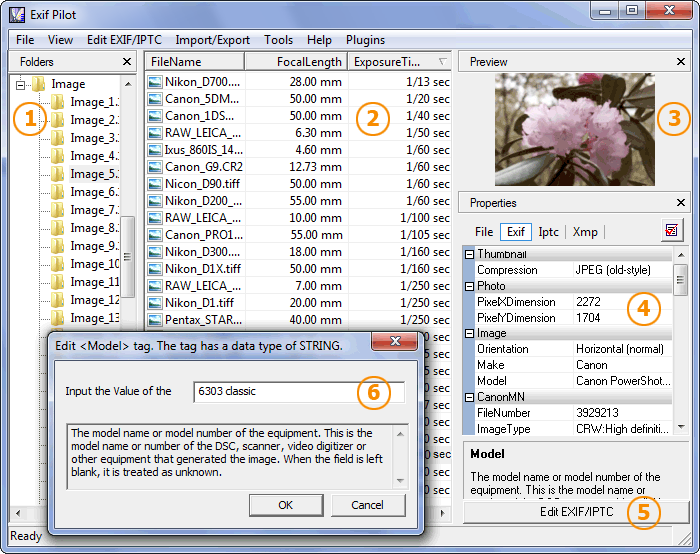
For viewing EXIF, EXIF GPS, IPTC, and XMP data just do the following:
- Select a folder with images on the Folders panel (1).
- Choose a file on the Files Table (2).
- Read the information about the photo on the Properties panel (4).
You can sort your photos by EXIF info by clicking a column title on the Files Table (2).
You may open any image in your default viewer if you click its name in the list, or its thumbnail on the Preview panel (3).