Form Office | Form Home and Pro | Dot Matrix | PDF Filler | PDF Maker
Form-filler review | Features | How to choose | FAQ | Prices and discounts
Form Pilot Office allows you to:
√ Fill out electronic forms of any type (PDF, DOC, XLS, TXT, etc.). See more details below...
√ Fill out paper forms on your computer. See our cartoon...
√ Prepare forms (agreements, for instance) and let your consumers fill them with Form Filler Pilot.
√ Export (and import) data from Form Pilot Office document to your database. Read more...
√ Fill out the same form repeatedly, using the Templates feature or using Database Tools.
How to fill out electronic forms
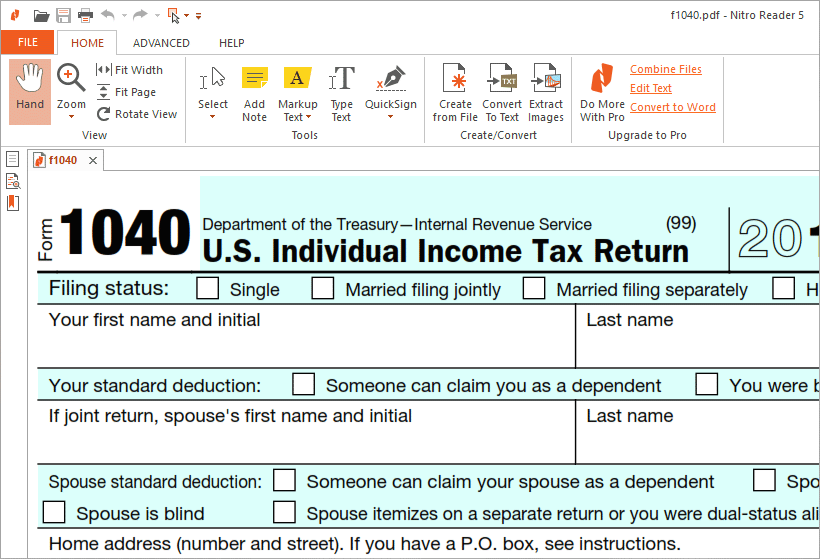
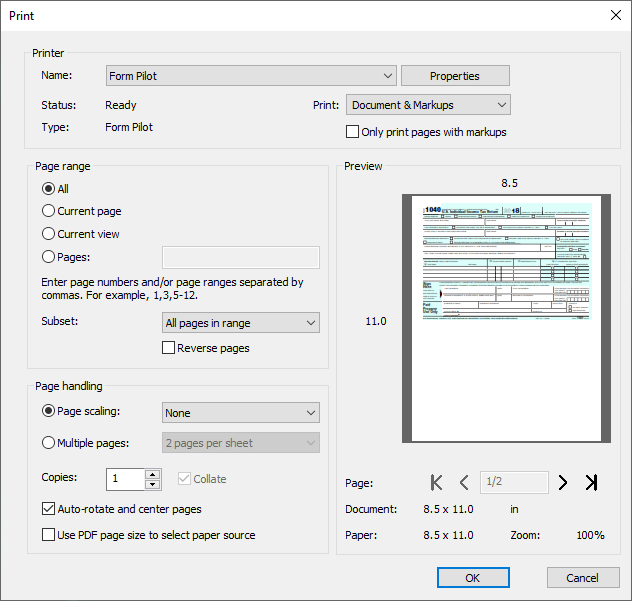
Form Pilot Office can receive any document from any application by using its printing function. So to get the form you want to fill out, open it in the appropriate application. A *.doc file should be opened in Microsoft Word; a *.pdf file should be opened in Adobe Reader; and so on.
For example, to fill out a PDF form:
| 1. Open the form in Adobe Reader: | 2. Choose the Print command in your Adobe Reader and select Form Pilot Office as a printer name: |
|
|
|
|
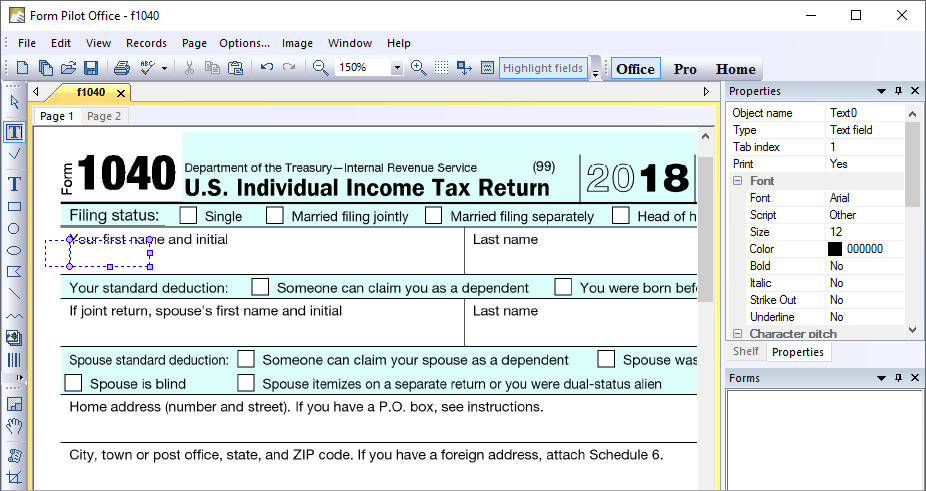
3. Click OK to print your document "with" Form Pilot Office. 4. The new form from your Adobe Reader should appear in Form Pilot Office. Fill in your PDF document in Form Pilot Office: |
|

Now you can:
Download free demo
Download Form Pilot Office 2.17.1 (6.6M) - Win 95/98/ME/NT4/2000/XP/Vista
Download Form Filler Pilot 2.17.1 (4.8M) - a special program for filling out forms created in Form Pilot Office
Limitation of the demo versions: additional strings appear at the top of a printed page.
Additional dictionaries for the spell checker (5.4M) - for version 1.50 and higher.
Languages: English (UK), English (Australian), Dutch, French, Italian, Russian, Spanish, Portuguese, Polish, Norwegian, Swedish, Brazilian Portuguese, Afrikaans, Czech, Danish, Finnish, Hungarian.
Ordering information
Order Form Pilot Office (245*)
Order Form Pilot Office with Form Filler Pilot (345)
Technical support via email and upgrades for the first 12 months after purchase are included.
* There are substantial discounts for schools and non-profit organizations.
If you want to buy more than one software license, you can get a discount as well.
Our resellers (you can pay in local currency).
Version history
May 4 2008 :: Version 2.17.1
+ Added the ability to set the tab order with a mouse.
~ In the page settings, you can switch off automatic application of settings to the printer.
~ Now your clients can fill out, save, and print out forms created in Form Pilot Office with our free Form Filler Pilot.
Send us your comments and ideas for further development of Form Pilot Office!
FAQ
How to fill out forms with software of the Form Pilot line in questions and answers.
See also
Compare the features of the form-filling and form-making software.
How to choose the appropriate form-filling program.
Form Office | Form Home and Pro | Dot Matrix | PDF Filler | PDF Maker
Form-filler review | Features | How to choose | FAQ | Prices and discounts