
Home Download Samples Tutorials Pricing FAQ History
Step by Step “Hello, HTML2PDF!” example:
HTML2PDF-X Pilot can be used in Visual Basic, Visual Basic.NET, ASP, ASP.NET, VBScript (Visual Basic scripted language) as well as in Visual C and Visual C#.
This page contains step by step tutorial that will teach you how to convert HTML string to PDF file from VBScript using HTML2PDF-X Pilot.
Windows 98/2000/ME/XP/7/10/11 has a built-in VBScript interpreter. So, all you have to do is to create a text file which contains a VBS script and save it using a .vbs extension.
1) Install HTML2PDF-X Pilot on your computer.
2) Run Notepad and create a new text file.
3) To create a PDF file from VBScript, you have to write a very simple script that will do the following steps:
- Create and initialize HTML2PDF-X object;
- Set filename for the PDF file;
- Set properties for conversion;
- Load string with HTML code into HTM2PDF-X Pilot;
- Perform conversion.
Content of “HelloHTML2PDF.vbs” file:
' Create HTML2PDF instance
Set html2pdf_obj = CreateObject("html2pdfx.HTML2PDFX")

' Initiate engine
html2pdf_obj.StartHTMLEngine "demo", "demo"

' Set PDF filename
html2pdf_obj.OutputFileName = "HelloHTML2PDF_VBS.pdf"

' Start PDF-generation
html2pdf_obj.BeginDoc

' Load string
html2pdf_obj.LoadHTMLString "<HTML><BODY><p>Hello, PDF!</p></BODY></HTML>"

 ' Perform conversion
html2pdf_obj.ConvertAll

' Finish PDF-generation
html2pdf_obj.EndDoc

Set html2pdf_obj = nothing
Feel free to copy this code to Notepad and save it as “HelloPDF.VBS”
4) Double-click “HelloHTML2PDF.VBS” file from Explorer or from another file manager and it will run the script.
If you have PDF viewer installed (for example, Adobe Reader), then you can see the contents of HelloHTML2PDF_VBS.PDF file:
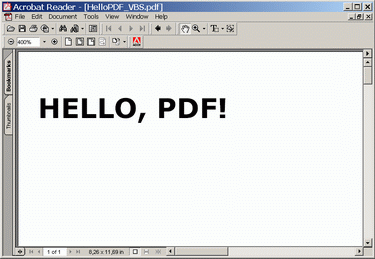
You can find the source code of this and other examples in the HTML2PDF-X Pilot Examples folder in the Documents directory.