Around PDF: PDF components for developers and end-users software
What is PDF | For developers | End-user PDF software | Resources | Contacts
| What is PDF? | PDF version of this article is available. Click here to download. |
Portable Document Format (PDF) is a worldwide standard for electronic documents. It was originally developed by Adobe for the U.S. Federal Government to store its legacy files. Now PDF files are used by government, regulated industries, different financial services, lawyers, publishing industry, education institutions. PDF files are used to distribute faxes, documentation, handbooks, court filing, letters, reports, tax forms.
PDF file preserves all the fonts, colors and structure regardless of the software and hardware so the electronic copy of PDF document will be always identical to the original and it will be viewed and printed identically to the original document.
PDF documents can be viewed on more than 20 hardware platforms (including Windows, Linux, Unix, Mac, Palm and Pocket PC) using freely distributed viewers like Adobe Reader.
Moreover, PDF format meets the legal documents requirements. It means that PDF file can not be altered without leaving electronic footprint. In addition to this, PDF files provide document-level security (using 40-bit or 128-bit key) and they can be protected by the password. Content of the document can be protected from editing, copying and printing as well.
Images, watermarks, hyperlinks and annotations can be embedded into the PDF document. Ability to use tree-like structured bookmarks (outlines) makes the navigation much easier.
PDF documents can contain interactive elements like input fields, listbox, checkboxes, radioboxes. That is why PDF is widely used as the PDF forms that can be filled in, printed or electronically submitted from web-browser. PDF files are compressed so they can be downloaded much faster and their storage takes much fewer resources.
PDF library and Virtual Printer Drivers for developers
◊ How to create a new PDF document
◊ How to place an image into PDF
◊ How to write text in a PDF document
◊ How to draw simple elements, such as a line, circle, or arc, with different attributes
◊ How to manipulate primitives to clip drawing objects
◊ How to create PDF with ASP.NET on the web server without Visual Studio
◊ How to create PDF with PHP on the web server
◊ How to create PDF with Python on the web server
◊ How to create or edit PDF with Python
◊ How to convert metafile to PDF using C++
◊ How to convert image to PDF using VB.NET
◊ How to extract text from PDF documents
◊ How to place a Attachments into PDF document
◊ How to create a Sound Annotations in PDF document
◊ How to print a PDF document
For more details please see the PDF Creator Pilot main page.
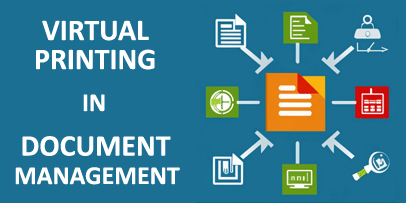
With Virtual Printer you will be able to generate an output in the form of standard raster or vector formats from your program, modify a virtual-printed document before sending it for actual printing, and import documents from other applications.
For more information see the main page of Virtual Printer Drivers Custom Development Service.
End-user PDF software
The PDF-related products, based on PDF Creator Pilot, for home and office use.
|
Form Pilot line - software for filling out forms of any type.
The Form Pilot line includes Form Pilot Home, Form Pilot Pro, and
Form Pilot Office.
The Pro and Office versions allow you to save PDF forms. Compare products of the form-filler line. |
|
PDF Converters - change the JPEG, GIF, TIFF, BMP, PNG, EMF, PPT, POT, PPS, XLT, XLS, XLW, DOC, DOT, WPS, WRI, RTF, and HTML files into PDF documents. More.... |
|
Universal converters - PDF Printer Pilot (Pro) and PDF2Mail Pilot (Pro) convert various files into PDFs using a virtual printer. PDF2Mail Pilot (Pro) helps you send the PDF document by email as well. |
Resources
The Portable Document Format article at Wikipedia: history, technology, implementations...
If you have an interesting Website containing PDF-related information, you can enter a short description with a link to the site here!
Contacts
If you have any question or business proposals, feel free to contact us using the online form.
Please visit our Forum:
- For software developers;
- Form filler/maker software;
- Converters to PDF.
Questions will be answered and comments are welcome.
What is PDF | For developers | End-user PDF software | Resources | Contacts