
Removing Imperfections from Photos
Retouch Pilot is photo retouching software that was designed for removing imperfections from a photo. It allows you to remove small technical imperfections – scratches, spots from dust particles and hair, etc. – that were found in the original image or that appeared while scanning the photo:
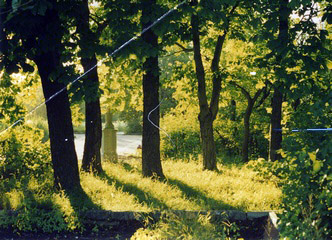
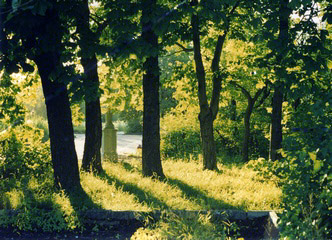
Photo Retouching on a Complex Background
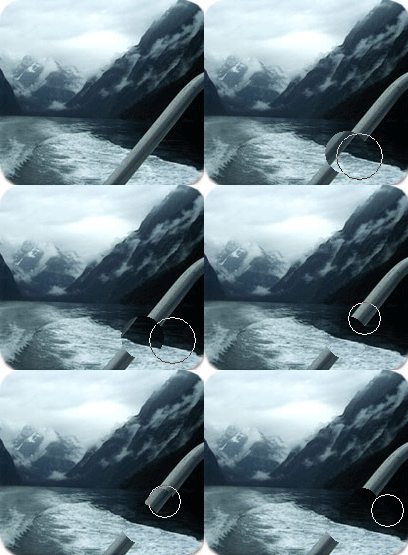
Using the Smart Patch tool, you can enhance background outdoor scene by removing unwanted objects from a photo.
You have the amazing ability to copy a “smart patch” from one part of an image to another. You can retouch any unwanted objects even on a complex background. See more..
Changing Form and Proportions in a Photo
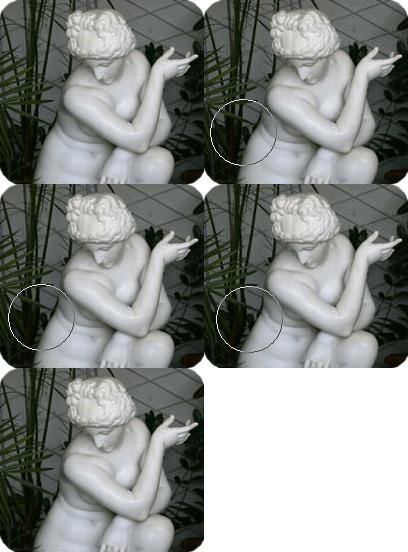
This photo retouching software allows you to change form and proportions as well. With the Elastic tool you can get great results without Image degradation when correcting your photos.
Old Photo Restoration
With this program you’ll be able to restore scanned old photos. Retouch Pilot allows you to remove any defects arising from long-term storage of a still picture: fixer stains, scratches and worn spots.
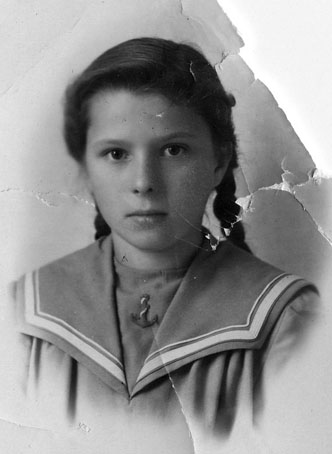
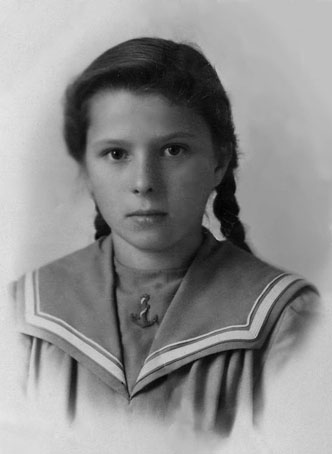
With Retouch Pilot your old photos will get a new life!
Download Free Demo
- Retouch Pilot (+ Plugin) 3.15.3 (4 Mb) – Windows XP/Vista/7/8/10/11 (32-bit and 64-bit).
Retouch Pilot can be used as a plug-in in Adobe Photoshop or another compatible program. More…
Limitation of the trial version: the software allows you to save the image in a special format (.tpi). After purchasing, you will be able to open your TPI images in the full registered version of the program and save them in any of the JPG, TIFF, PNG, and BMP formats.
Ordering information
! PLEASE NOTE THAT THE PROGRAM IS PROVIDED "AS IS", WITHOUT WARRANTY OF ANY KIND. NO UPGRADES ARE PLANNED. NO TECHNICAL SUPPORT IS PROVIDED. BEFORE BUYING THE PROGRAM, CHECK ITS OPERATION AND MAKE SURE THAT IT SUITS YOU COMPLETELY.
Order Retouch Pilot (29.95 EUR) – use the bought version forever / no subscription required.
The download link & your registration code will be emailed to you as soon as your order is processed (if you didn’t receive the email, please check your spam folder).
Versions History
May 04 2023 :: Version 3.15.3
+ Documentation updated.
+ Adobe Photoshop 2022, Photoshop Elements 2022 automatic set-up of the plugin has been added.
Built-in Demo Examples
The program is supplied with demo examples (selfshow technology). To run them, click menu Demonstration and choose an example to play:
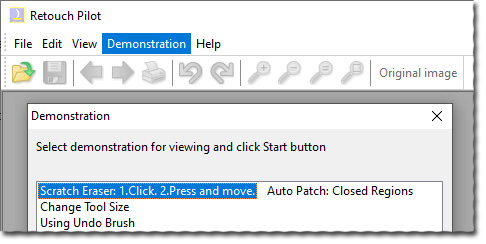
You can see these examples online as well. Click here for more details…