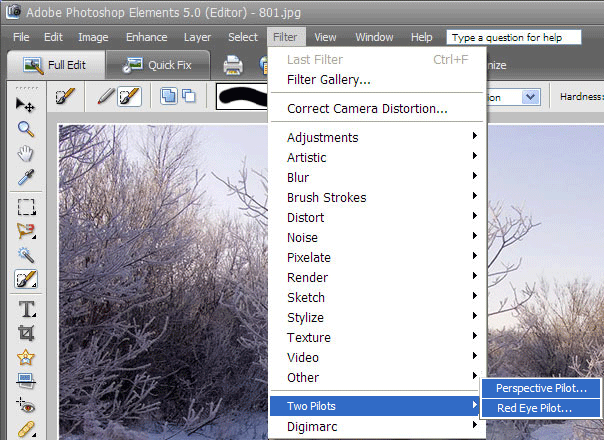
To add the program (for example, Perspective Pilot):
- Install Perspective Pilot.
- Open Adobe Photoshop Elements.
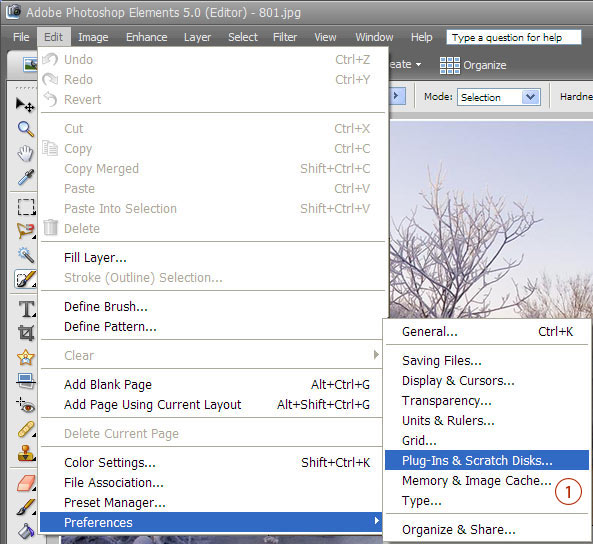
- Go to Edit | Preferences | Plug-ins & Scratch Disks. (1)
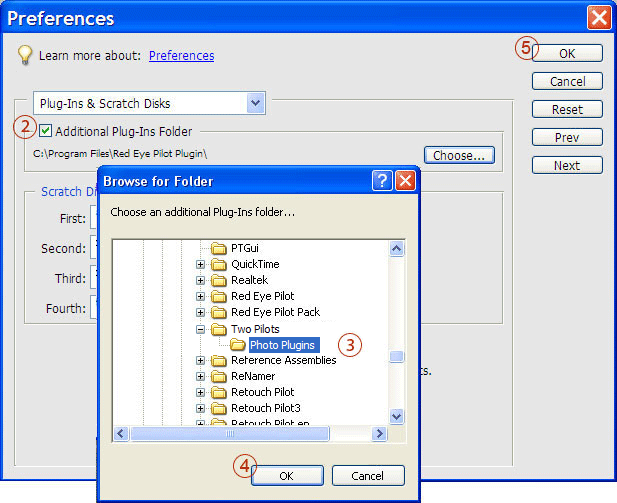
- Check “Additional Plug-Ins Folder” check box. (2)
- Choose Two Pilots/Photo Plugins in the “Browse for Folder” window.(3)
- Click the “Ok” buttons. (4),(5)
- Open your image and go to Filter | Two Pilots | Perspective Pilot.