
Edit EXIF metadata
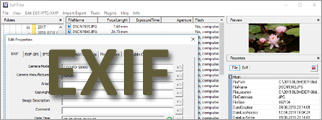 Exif Pilot™ – software for editing EXIF metadata. This EXIF editor allows you to view, create or edit EXIF data. EXIF export and import from/to XML files, MS Excel files Text files (in CSV format) are supported. More…
Enchance colors
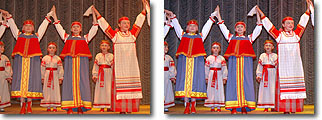 Color Pilot™ – software for the easy and natural color correction of digital camera or scanned photo images. To enchance an image, just tell the program which color you want to have in your picture. Color Pilot includes built-in color correction examples. More…
Make up your photo
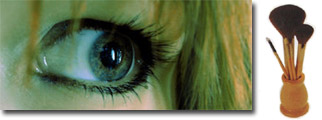 Beauty Pilot™ and MakeUp Pilot™ – portrait software for removing small imperfections on the skin and therefore doing makeup directly on a photo. Bring out the beauty in women’s portraits taken with a digital camera!
Retouch your photos
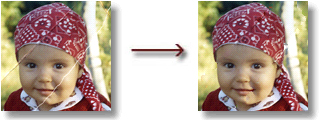 Retouch Pilot™ – retouch technical imperfections present on an image or having appeared while scanning a photo such as scratches, spots from dust particles and hair. With this photo processing software you’ll be able to restore scanned old photos. There is a freeware version. More…
Correct perspective
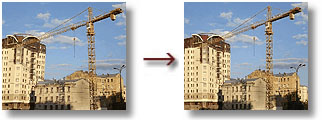 Perspective Pilot™ – correct perspective distortions often appearing in the urban landscape and architectural photography. More…
Print your photos out
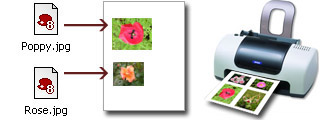 Photo Print Pilot – to print photos in a desired format you should just choose a template with a size of the images for printing and a way they will be arranged on a page. More…
Print Pilot™ – create your own picture-cards and print them out! More…
Remove red eyes
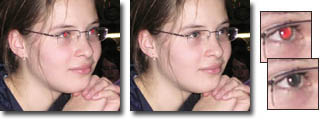 Red Eye Pilot™ – remove red eyes from your photos. You can adjust the pupil area and brightness, and preview the results real-time. The program keeps structure of the pupil. The Software is completely free! More…
Correct your pet’s eyes
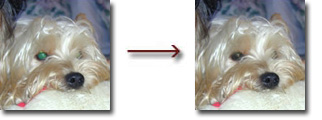 Pet Eye Pilot™ – when you take photos of your pets, you often get a red eye effect. This effect, however, is different than with people. You can get blue, green or yellow eyes. With Pet Eye Pilot, you can easily fix this problem. More…
Remove wires from a photo
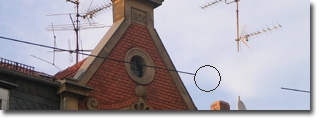 Wire Pilot™ – photo retouch software specially designed for wire removal. Wire Pilot allows you to retouch wires, posts, antennas and other unwanted linear objects from a photo. There is a freeware version. More…